
Self‑Hosted Security Lab
Virtual Machines

I designed and deployed a self‑hosted virtual hacking lab on my personal machine to practice networking, learning of blue team tooling, ethical hacking techniques in a controlled and isolated environment, and development of future infrastructure/web related projects.
The lab simulates a small internal network consisting of an attacker, a victim, and a defender, allowing safe experimentation with all sides of the spectrum.
This project demonstrates hands‑on experience with virtualization, Linux and Windows systems, internal networking, and lab security isolation.
Lab Architecture
The lab consists of three virtual machines, each assigned a specific role within the environment:- Kali Linux – Attacker machine
- Ubuntu Linux – Defender/Overseer machine
- Windows – Victim machine
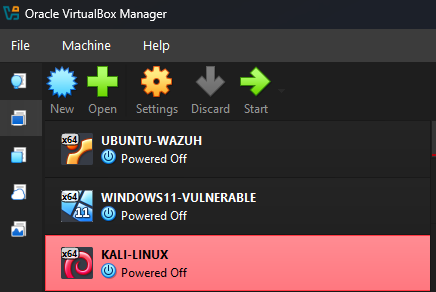
Virtual Machine Specifications
Each VM was configured with the following approximate resources:- Disk: 30–50 GB
- CPU: 2 cores
- RAM: 2–6 GB (depending on OS requirements)
Network Configuration
Dual‑NIC Design
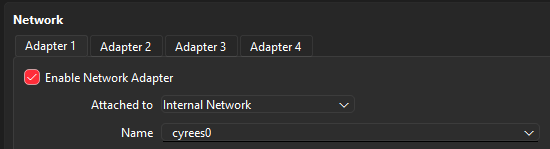
Each virtual machine was configured with two network adapters:
1.Internal Network Adapter
- Used for isolated communication between virtual machines
- Prevents exposure to the host LAN or external networks
- Simulates a real internal corporate network
2.NAT Adapter
- Provides controlled internet access
- Used for system updates and tool installation
- Does not expose internal services externally
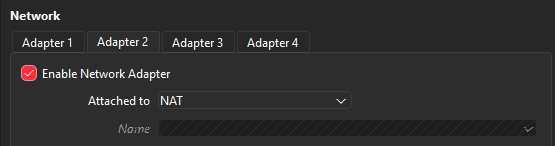
This dual‑NIC approach allows realistic attack scenarios while maintaining security and isolation from the host machine.
DHCP Server Setup
I set up a DHCP server on the host machine to assign IP addresses automatically to all virtual machines on the internal network. This approach ensured:
- Each VM received a unique IP upon startup without manual configuration

All virtual machines successfully obtained IP addresses and were able to communicate with each other across the internal subnet.
Connectivity Validation & Testing
The lab’s internal networking was validated through multiple tests:
- Verification of IP assignment on all machines
- Successful ICMP (ping) communication between all virtual machines
- Bidirectional connectivity between attacker and target systems
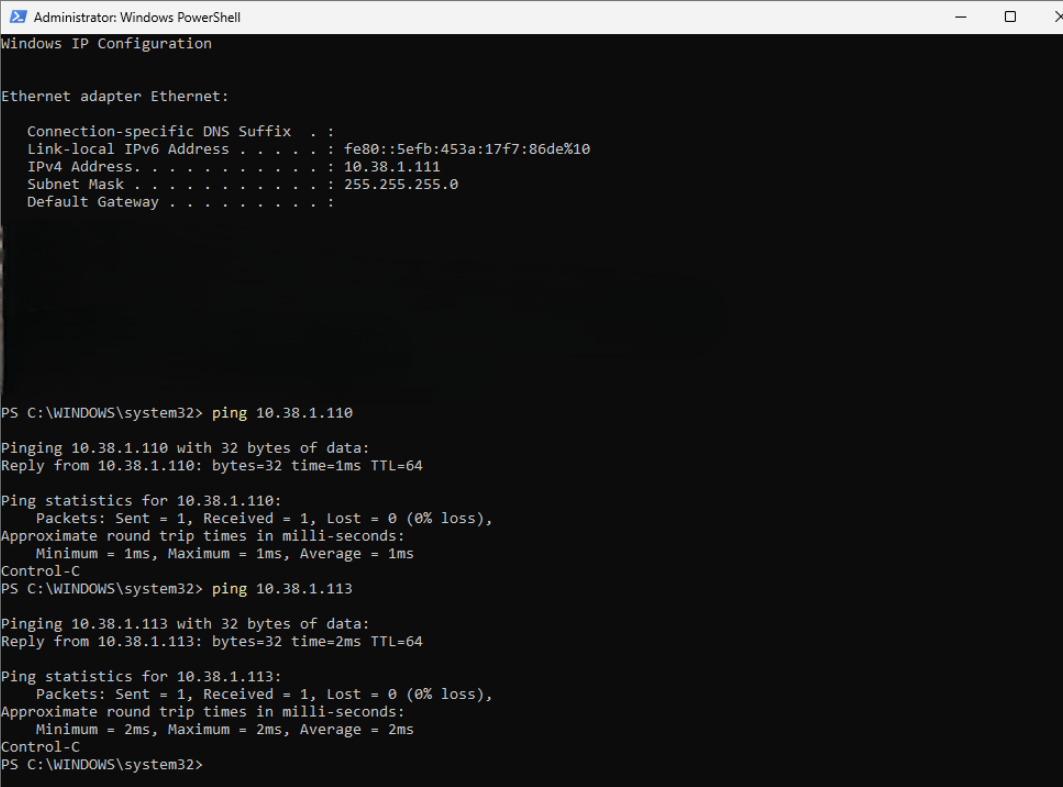
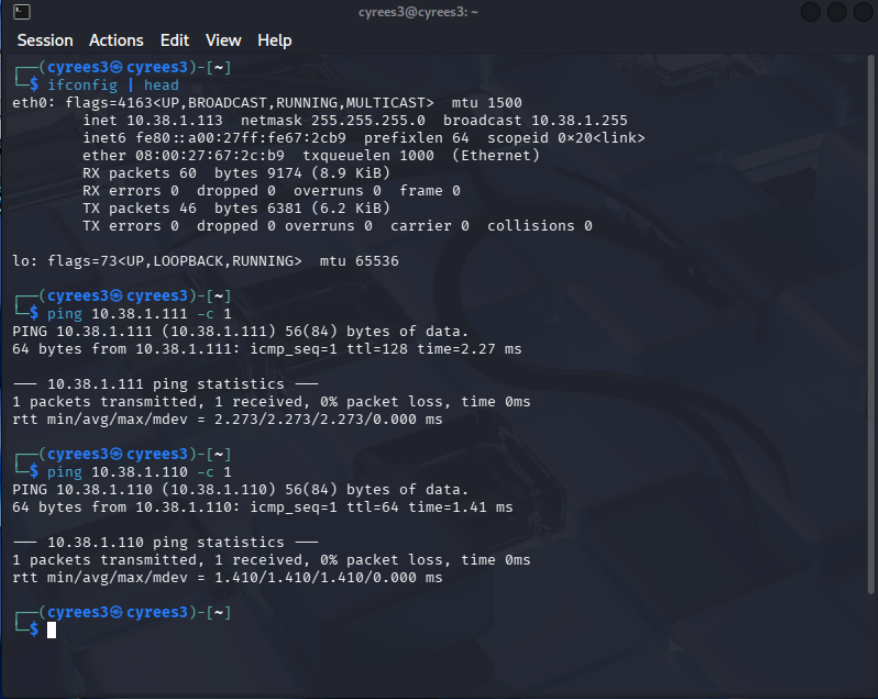
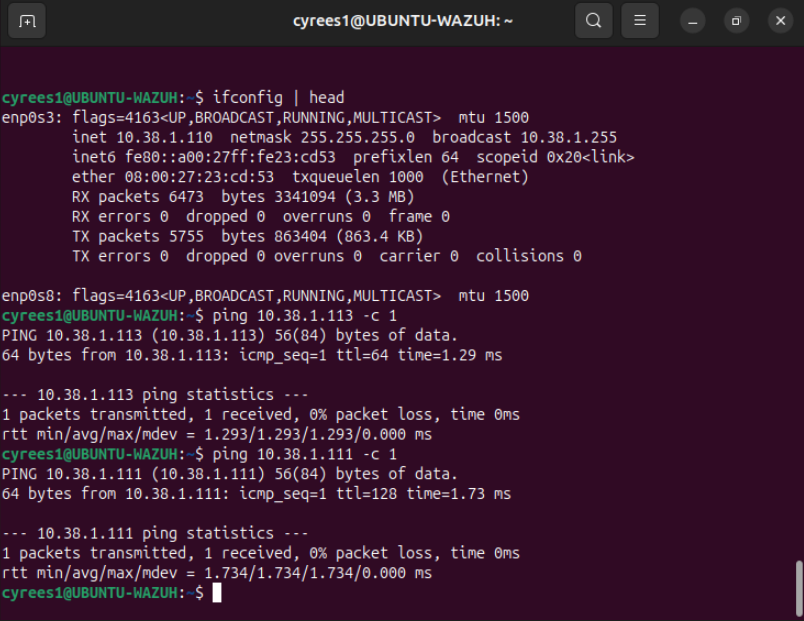
These tests confirmed proper DHCP operation, correct network segmentation, and full internal communication.
Learning Outcomes
Through this project, I gained practical experience in:
- Virtual machine deployment
- Internal network design and segmentation
- DHCP configuration and IP management
Future Improvements
Planned enhancements to expand the lab include:- Deploying intentionally vulnerable applications (DVWA, Metasploitable)
- Adding network scanning and enumeration exercises
- Implementing firewall rules and segmentation
Introducing logging, monitoring, or basic SIEM concepts